Microsoft Loop: Ứng dụng thay đổi cách người dùng làm việc nhóm với bộ Office
- Thứ năm - 30/03/2023 21:39
- In ra
- Đóng cửa sổ này
Microsoft Loop là một công cụ làm việc nhóm mà Microsoft đã từng hé lộ trước đây (khoảng năm 2021), sử dụng nền tảng mã nguồn mở Fluid Framework, Loop sẽ đem lại trải nghiệm làm việc nhóm liền mạch, đa dụng và tiện lợi hơn cho người dùng Microsoft 365.
Hiện tại Loop đã có phiên bản cho nền web, iOS và Android, tuy nhiên riêng iOS sẽ phải đăng ký tham gia EA (Early Access) qua Testflight và hiện tại đã hết chỗ, mình vẫn để link dưới này để anh em có thể truy cập đăng ký dùng thử nếu Microsoft mở thêm chỗ.
website Microsoft Loop: loop.microsoft.com
Link tải ứng dụng Loop dành cho iOS.
Link tải ứng dụng Loop danh cho Android.
Về cơ bản, nó sẽ giống với Notion, một ứng dụng làm việc nhóm mà rất nhiều người đang dùng ở thời điểm hiện tại. Tuy nhiên theo mô tả của Microsoft thì Loop sẽ hơn Notion ở chỗ rằng nó tích hợp rất sâu vào các dịch vụ của hãng như Microsoft 365, Word, Teams, Outlook…và có thể dễ dàng chia sẻ với bất kì ai trong nhóm hoặc đang cùng làm việc trong một dự án nào đó.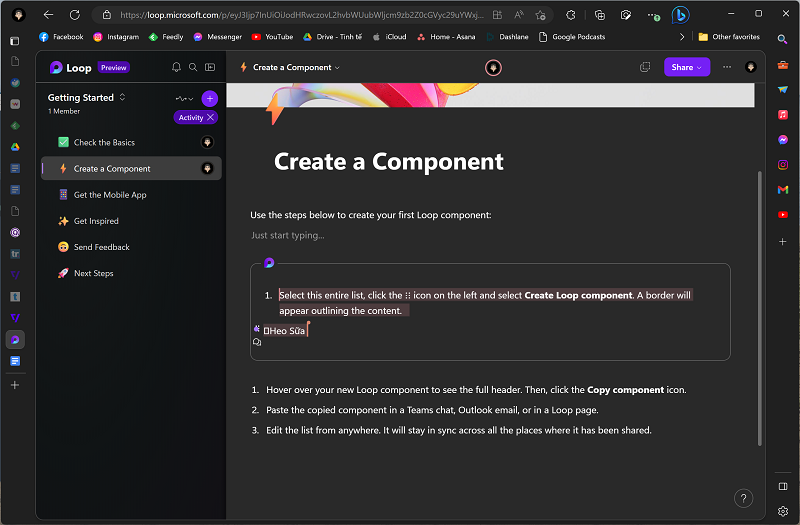 Tính năng nổi bật và hay ho nhất của Loop là Components. Nó sẽ là những khối nội dung công việc được “gói” lại và người dùng có thể dễ dàng chia sẻ cho bất kì một nền tảng nào khác như Word, Outlook, Teams, bằng Components (yêu cầu phải có tài khoản Microsoft) thông qua đường link được đính kèm. Không chỉ chia sẻ, người dùng có thể chỉnh sửa trực tiếp trong Components đó và tất cả mọi người được chia sẻ đều có thể theo dõi được trong thời gian thực. Người dùng có thể tạo Components ở bất kì mục nào trong dự án đều được và có thể dễ dàng chia sẻ với nhau.
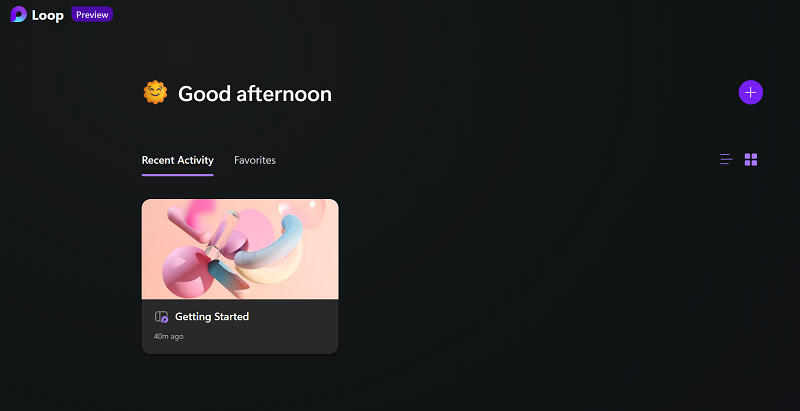 Ngoài Components, Loop cũng có thể dễ dàng để người dùng tạo những không gian làm việc “Workspace”. Trông giao diện của Loop rất giống với Notion, với các cột bên trái và khung trống bên phải. Microsoft cũng có những ví dụ để người dùng có thể dễ dàng bắt đầu làm quen với Loop, tương tác một cách thoải mái hơn.
 Với Workspace, người dùng có thể thêm các thành viên để làm việc cho một dự án nào đó và theo Microsoft, Loop sẽ tự động tìm kiếm tất cả các tài liệu Office có liên quan mà bạn đang làm việc trên đó khi tạo một không gian làm việc, giúp bạn dễ dàng thêm những tài liệu cần thiết để tổ chức và quản lý một dự án. Microsoft cũng cho người dùng 2 phím tắt, bao gồm phím “/” để tìm kiếm sticker, heading, table…và “@” để tag đồng nghiệp vào những mục có liên quan. Hiện tại với phiên bản Preview, Microsoft Loop sẽ cho tối đa 50 người cùng vào làm việc trong một “Workspace”.
Một sản phẩm của Microsoft nên Loop dĩ nhiên được tích hợp sâu vào Microsoft 365, người dùng hoàn toàn có thể theo dõi tiến trình cũng như đồng bộ hoá nội dung lên Planner và Microsoft To Do, cũng như kết hợp với Trello khá tốt (import bảng từ Trello rồi làm việc trên Loop, khi nào xong thì xuất ngược trở lại Trello, nhưng làm việc trên Loop nó mang tính cộng tác tốt hơn).
Loop là một dự án hay một sản phẩm mà Microsoft đã phát triển trong 2 năm qua, kể từ khi đại dịch bùng phát. Ý tưởng của Microsoft khi tạo ra Loop là đem lại một trải nghiệm làm việc hoàn toàn mới lạ và khác biệt cho người dùng. Đó là một ý tưởng mở rộng dành cho Office, kết nối đa ứng dụng và chia sẻ nội dung một cách dễ dàng. Cái mà mình thích ở Loop là Components và việc chia sẻ các Components đó rất dễ dàng. Tưởng tượng một nhóm mod bọn mình làm chung trong một nội dung sẽ rất tiện lợi và nhanh chóng vì việc chia sẻ các ý tưởng và phác thảo nó bây giờ rất nhanh gọn.
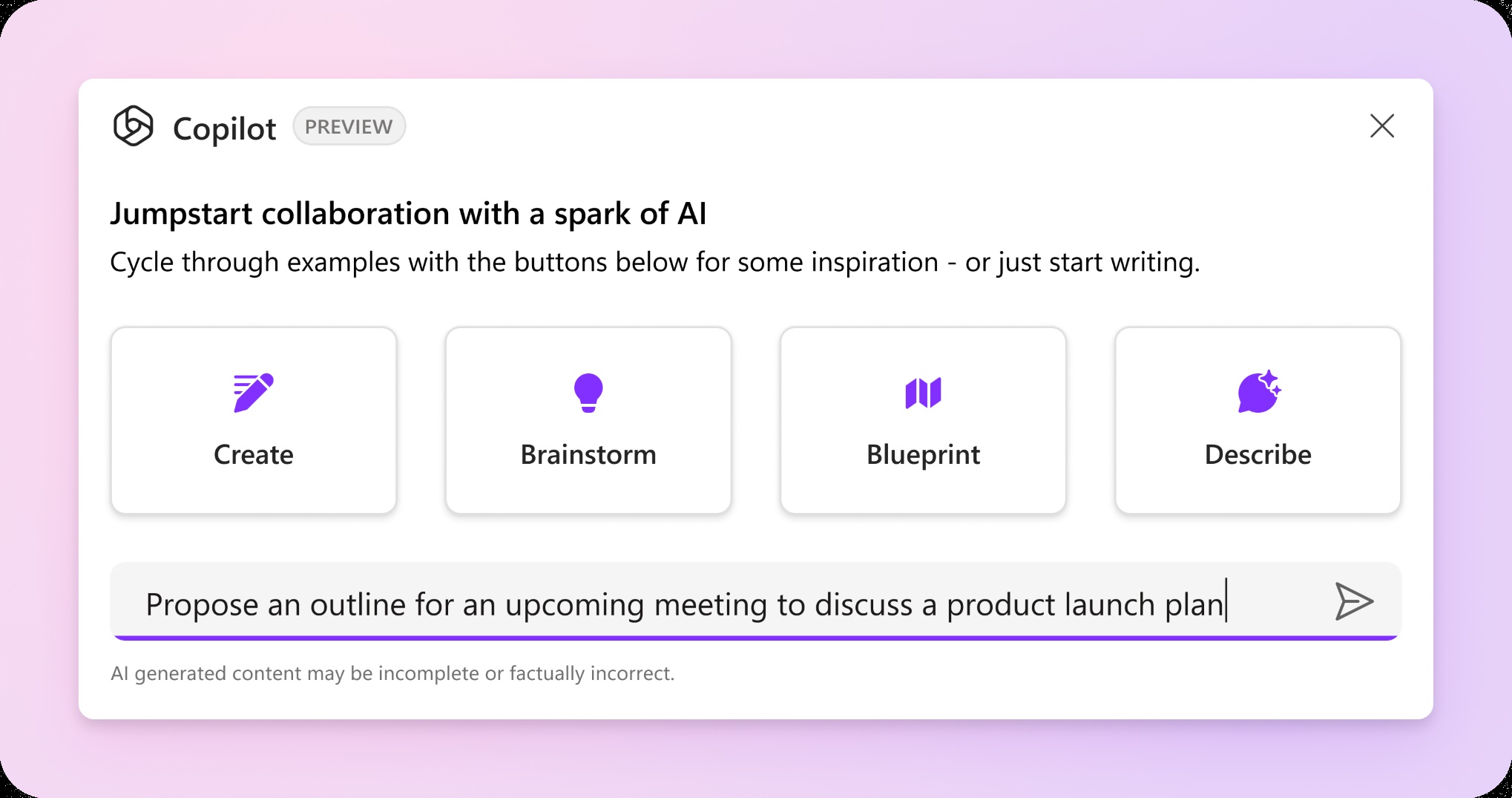
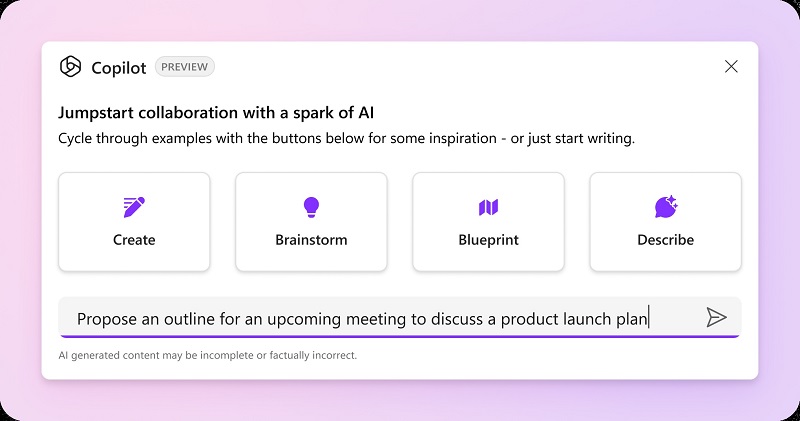
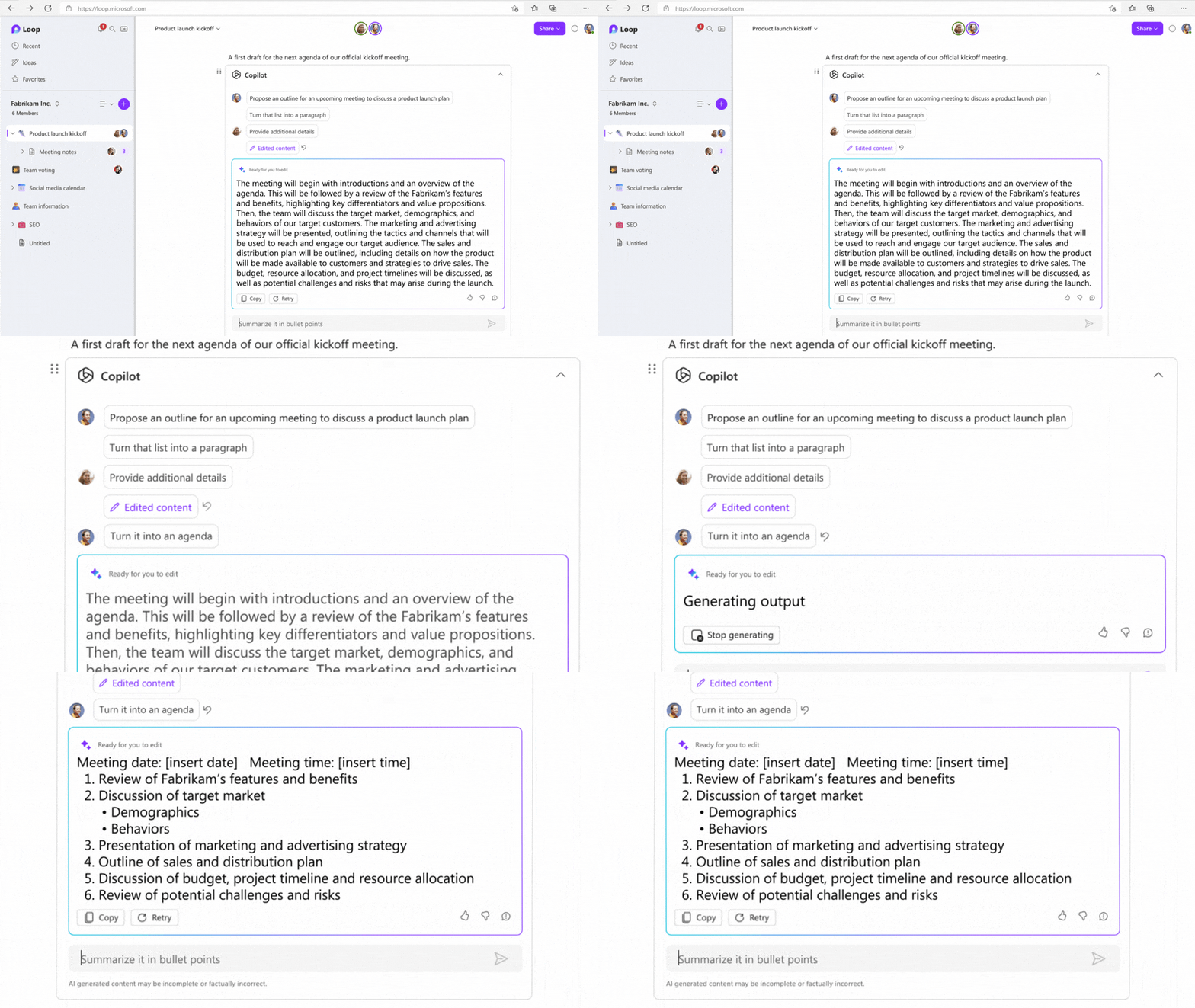
Phần quan trọng không kém của Loop đó là tích hợp AI bao gồm Copilot và Jumpstart. Với Copilot người dùng có thể sử dụng các đề xuất do AI cung cấp để tạo ý tưởng hoặc kế hoạch chi tiết, với việc Microsoft điều chỉnh Copilot của mình để hỗ trợ chế độ nhiều người chơi, nơi người dùng và các đồng nghiệp của mình đều có thể đặt câu hỏi cho chatbot AI.
Những trải nghiệm nhanh của mình với Loop (hay với Notion mình sẽ có bài so sánh sau) là rất hay, ý tưởng của Microsoft với Loop chính là sự khác biệt so với Notion, kết hợp AI được phổ biến rộng rãi sau này thì rất có thể Loop sẽ là một đối thủ cạnh tranh rất gắt gao với những ứng dụng làm việc nhóm kiểu như này. Hiện tại phiên bản Preview vẫn còn lỗi và thiếu nhiều tính năng cơ bản nhưng mà mình không lo lắng lắm về chuyện đó, chắc chắn Loop sẽ được chăm chút nhiều hơn trong tương lai gần và khi ra mắt chính thức nó sẽ tốt hơn.
website Microsoft Loop: loop.microsoft.com
Link tải ứng dụng Loop dành cho iOS.
Link tải ứng dụng Loop danh cho Android.
Về cơ bản, nó sẽ giống với Notion, một ứng dụng làm việc nhóm mà rất nhiều người đang dùng ở thời điểm hiện tại. Tuy nhiên theo mô tả của Microsoft thì Loop sẽ hơn Notion ở chỗ rằng nó tích hợp rất sâu vào các dịch vụ của hãng như Microsoft 365, Word, Teams, Outlook…và có thể dễ dàng chia sẻ với bất kì ai trong nhóm hoặc đang cùng làm việc trong một dự án nào đó.
Một sản phẩm của Microsoft nên Loop dĩ nhiên được tích hợp sâu vào Microsoft 365, người dùng hoàn toàn có thể theo dõi tiến trình cũng như đồng bộ hoá nội dung lên Planner và Microsoft To Do, cũng như kết hợp với Trello khá tốt (import bảng từ Trello rồi làm việc trên Loop, khi nào xong thì xuất ngược trở lại Trello, nhưng làm việc trên Loop nó mang tính cộng tác tốt hơn).
Loop là một dự án hay một sản phẩm mà Microsoft đã phát triển trong 2 năm qua, kể từ khi đại dịch bùng phát. Ý tưởng của Microsoft khi tạo ra Loop là đem lại một trải nghiệm làm việc hoàn toàn mới lạ và khác biệt cho người dùng. Đó là một ý tưởng mở rộng dành cho Office, kết nối đa ứng dụng và chia sẻ nội dung một cách dễ dàng. Cái mà mình thích ở Loop là Components và việc chia sẻ các Components đó rất dễ dàng. Tưởng tượng một nhóm mod bọn mình làm chung trong một nội dung sẽ rất tiện lợi và nhanh chóng vì việc chia sẻ các ý tưởng và phác thảo nó bây giờ rất nhanh gọn.
Phần quan trọng không kém của Loop đó là tích hợp AI bao gồm Copilot và Jumpstart. Với Copilot người dùng có thể sử dụng các đề xuất do AI cung cấp để tạo ý tưởng hoặc kế hoạch chi tiết, với việc Microsoft điều chỉnh Copilot của mình để hỗ trợ chế độ nhiều người chơi, nơi người dùng và các đồng nghiệp của mình đều có thể đặt câu hỏi cho chatbot AI.
Những trải nghiệm nhanh của mình với Loop (hay với Notion mình sẽ có bài so sánh sau) là rất hay, ý tưởng của Microsoft với Loop chính là sự khác biệt so với Notion, kết hợp AI được phổ biến rộng rãi sau này thì rất có thể Loop sẽ là một đối thủ cạnh tranh rất gắt gao với những ứng dụng làm việc nhóm kiểu như này. Hiện tại phiên bản Preview vẫn còn lỗi và thiếu nhiều tính năng cơ bản nhưng mà mình không lo lắng lắm về chuyện đó, chắc chắn Loop sẽ được chăm chút nhiều hơn trong tương lai gần và khi ra mắt chính thức nó sẽ tốt hơn.